This is a quick blog post in response to a recent interaction with a SLOB user. The user reached out to me to lament that all her file system space was consumed as the result of a SLOB execution (runit.sh). I reminded her that runit.sh will alert to possible derelict mpstat/iostat/vmstat processes from an aborted SLOB test. If these processes exist they will be spooling their output to unlinked files.
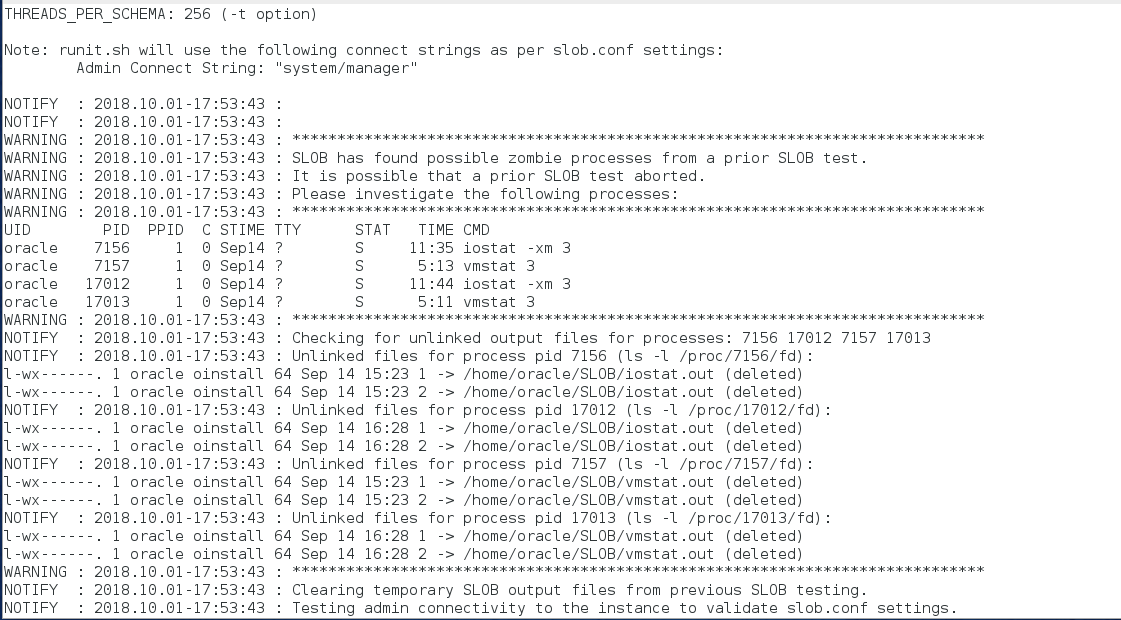
The following screen shot shows what to expect if a SLOB test detects potential “deadwood” processes. If you see this sort of output from runit.sh, it’s best to investigate whether in fact they remain from an aborted test or whether there are other users on the system that left these processes behind.
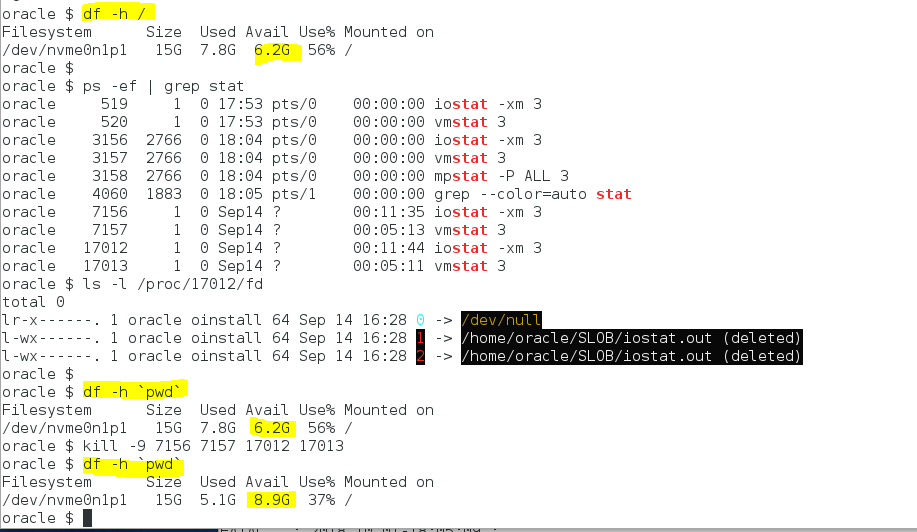
The next screenshot shows how to take action on the runit.sh output:
Summary
If SLOB is consuming all your file system space, it’s probably already telling you why–all you need to do is take action. I hope this is helpful for some wayward Googler someday.



 Kevin Closson's Blog: Platforms, Databases and Storage
0 Responses to “SLOB Chewed Up All My File System Space and Spit It Out. But, Why?”